Design Buddy – my new AI sparring partner for all things design
Here’s how I created a custom GPT that helps me critique designs and expand my ideas.
How it started: I just felt unorganized
As a product designer, I’m always chasing new ideas and inspiration. A few years ago, I was already jotting down notes here and there, sometimes even tagging them — but without much structure or purpose. I still tried to remember everything in my head. I’d read a great article, feel inspired, and think, “This is unforgettable.” And then, of course, I’d forget.
In 2022 I read the book Building a Second Brain by Tiago Forte. In it, he describes the PARA method. It stands for Projects, Areas, Resources, and Archives. It’s a simple but powerful way to categorize knowledge.
- Projects: Current active efforts
- Areas: Ongoing responsibilities
- Resources: Reference materials and inspiration
- Archives: No longer active, but worth keeping
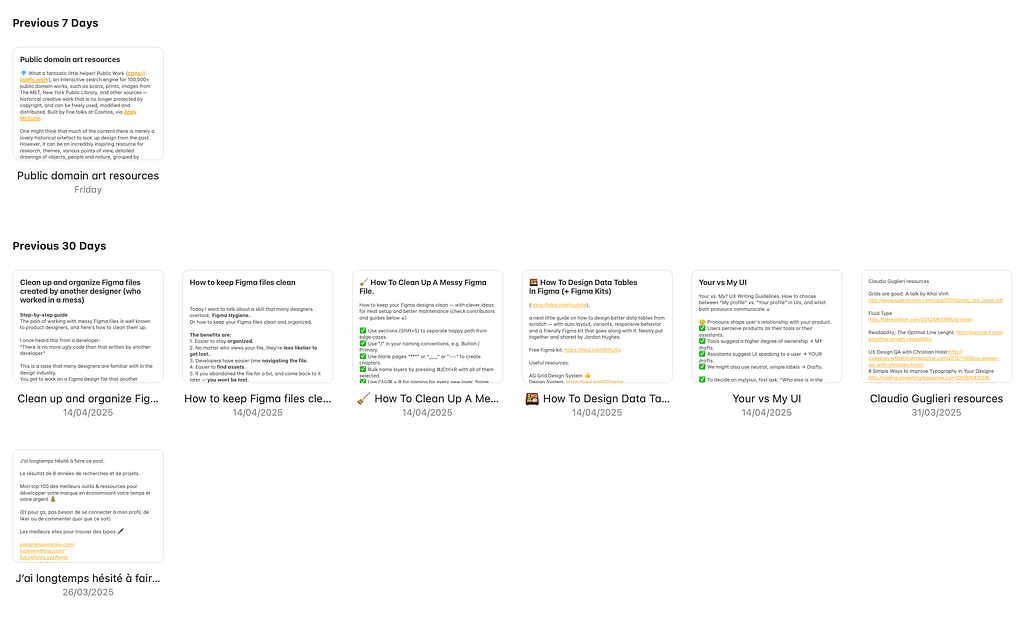
Over the past three years, I’ve used PARA to build a system tailored to my work as a designer and team contributor. I didn’t follow it strictly — instead, I adjusted it based on what felt natural in my workflow. When I read an article, I usually just copy-paste it in my Apple Notes as a new note, and add source to it (author and a link where I found it).
Building the Note Library
This approach helped me build a library of:
- 📚 200+ notes on Design: UX principles, critiques, frameworks, visual systems, and microcopy
- 🧠 150+ notes on Work: career reflections, team dynamics, leadership insights, and personal development
Most of these were collected from experience, conversations, books, articles — sometimes a Medium blog, sometimes a post on LinkedIn.
The Turning Point: Bringing in AI
At some point, a friend joked that my system was really “just a second memory, not a second brain.” That stuck with me.
Then came GPT.
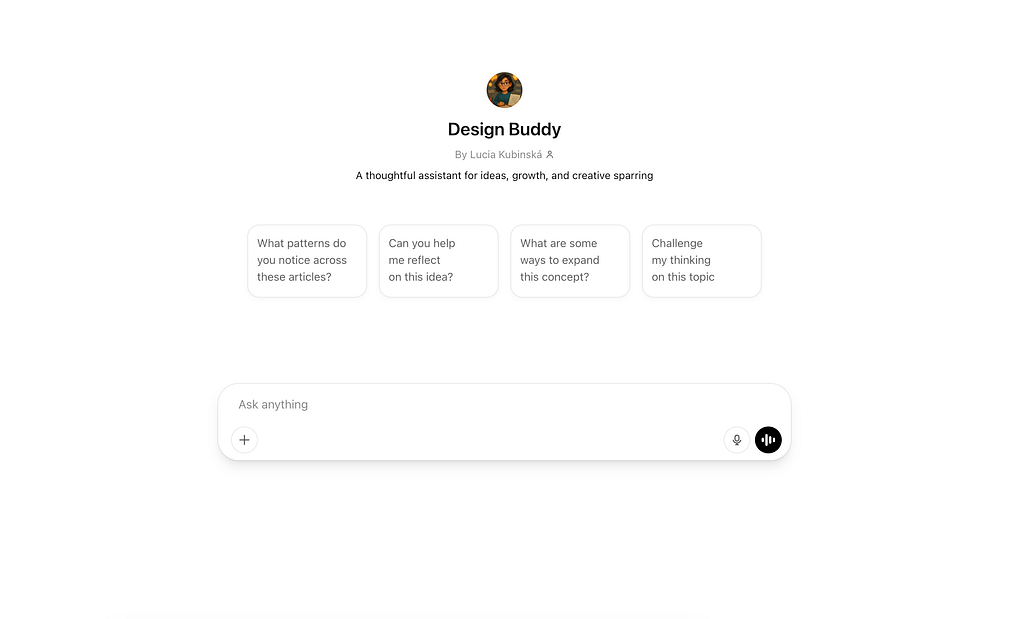
I exported my notes — one file for Design, one for Work — and used them to train a custom GPT. I named it Design Buddy. It isn’t just a chatbot. It:
- Connects ideas I wrote down years apart
- Surfaces forgotten insights when I need them
- Offers critiques, prompts, and challenges grounded in my own thinking
Meet Design Buddy
Now, I use Design Buddy in everyday moments: When I’m stuck on a design review, I ask for critique, and it references my previous principles or similar cases. When planning my next role move or reflecting on a tough project, it helps me analyze based on my past notes. Sometimes it just surprises me — “Hey, remember that article you saved in 2022 about onboarding UX?”
Last week, I uploaded a design concept, and it not only critiqued the layout, but also suggested improvements that echoed ideas I had jotted down a year ago. That’s when it really felt like a partner, not a tool.
Is it perfect? Not at all. But it often uncovers ideas that surprise me, feel relevant, and remind me of things I had forgotten — like finding a long-lost memory.
How It Changed the Way I Work
The biggest shift? I feel like I don’t have to start from scratch every time. Design Buddy gives me continuity. It helps save time when researching or ideating, expand my thinking by offering my own thoughts back at me (but reframed!), make design critiques more structured and thoughtful.
It’s also changed how I view my note-taking: less pressure to capture everything perfectly, more emphasis on leaving breadcrumbs for my future self.
What’s Next: Team-Wide Potential
We’re now exploring how Design Buddy might support our product design team at Bloomreach.
Could it maybe help new team members onboard faster by referencing shared principles? Offer consistent critique patterns across projects or capture our team’s collective wisdom in a usable format?
The early signs are promising. It’s not about replacing designers — it’s about enhancing our thinking using what we already know. It helps us come up with ideas faster, and in a way that better fits the current shape of our product.
Tips for Others
If you’re curious to try something similar, here’s how you can start:
- Organize your notes intentionally — PARA works great, but even light categorization helps.
- Keep it consistent, not perfect — Build a habit of adding notes and ideas that inspire you.
- Export and train — Tools like ChatGPT’s custom GPT builder make it surprisingly easy to create a version of your own assistant.
- Start small — You don’t need 300 notes. Even 30 good ones can create value.
- Don’t overlook internal knowledge — Past research, presentations, product documentation, and team retros are often full of insights worth reusing. Just make sure to be mindful of confidentiality and data sensitivity when feeding company knowledge into AI tools.
Closing Reflection
Over the years, I gathered hundreds of ideas, articles, and reflections — but mostly stored them away, only digging them up when I remembered exactly what to search for. While I was proud of this growing library, it wasn’t living up to its full potential.
With Design Buddy and custom GPTs, that changed. My notes now come alive in conversations, offering insights I’d forgotten and connecting ideas in new ways. It no longer feels like a static archive — it feels like a thinking partner. And that shift — from passive memory to active insight — is where the real value starts to show.
If you’re a product designer and experimenting with something similar, I’d love to hear how!